
Stop Organizing Your Files. Just Search.
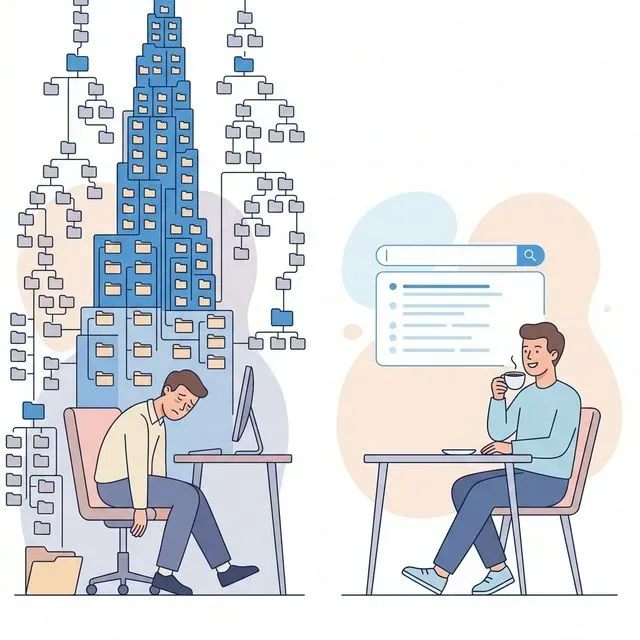
Sunday afternoon. You’ve blocked out three hours to organize your files.
You start with the Downloads folder, that digital junk drawer where everything seems to end up. You create new folders with sensible names: Work, Personal, Finance, Photos. You drag files into their proper places, feeling a sense of accomplishment as the chaos becomes order.
Two weeks pass. You’re working on a deadline, and you save a document quickly to get back to the task at hand. It goes into Downloads because that’s the default. Another file follows. Then another.
By the end of the month, your carefully organized structure is a mess again. New files sit in Downloads while old files languish in folders you’ll never check. You think about reorganizing, but who has time for that?
This cycle repeats endlessly. You organize, chaos returns, you feel guilty, you organize again. It’s exhausting, and it never sticks.
There’s a better way. Stop organizing. Start searching.
Why File Organization Always Fails
Section titled “Why File Organization Always Fails”The traditional approach to file management assumes that careful organization is the path to finding what you need. This assumption is wrong for several fundamental reasons.
Organization Requires Discipline at the Wrong Moment
Section titled “Organization Requires Discipline at the Wrong Moment”Every time you save a file, you face a choice. Where does this go? Which folder? Should you create a new one? What should you name it?
This decision point happens at exactly the wrong time. You’re in the middle of something else. You’re focused on your work, not on filing. You want to save and move on, not contemplate folder hierarchies.
So you make quick decisions. Everything goes into a generic folder or the desktop or Downloads. You’ll organize it later, you tell yourself. Later never comes.
One File, Many Categories
Section titled “One File, Many Categories”Consider a single document: a client proposal for a marketing project from 2023.
Where should it go? In a folder for that client? In a folder for marketing projects? In a folder for 2023 work? In a proposals folder?
It belongs in all of them. But your file system forces you to choose one location. You pick the one that makes sense at the moment, but later you might look in a different place. The file exists, but you can’t find it because you didn’t guess which category you’d think of later.
Other People Ruin Your System
Section titled “Other People Ruin Your System”Even if you maintain perfect discipline, you probably don’t work alone. Colleagues save files to shared drives using their own logic. Files arrive as email attachments with random names. Documents get moved by people who don’t know your system.
Your beautiful folder structure becomes incomprehensible to anyone else, and their contributions undermine your careful work.
Systems Break Under Pressure
Section titled “Systems Break Under Pressure”The test of any organizational system is how it performs during busy periods. When deadlines loom and stress is high, the carefully designed folder structure gets abandoned. Files get saved wherever is fastest.
Then the busy period ends, and you’re left with a mess that feels too overwhelming to fix. The cycle continues.
Organization Doesn’t Help When You Forget the Category
Section titled “Organization Doesn’t Help When You Forget the Category”The cruelest irony of file organization is that it only helps if you remember how you organized things. If you can’t recall whether you filed that report under Q3 or September or Budget or Marketing, the folder structure works against you.
You browse folder after folder, opening each one to see if the file is inside. This is often slower than just searching through a disorganized pile.
What Google and Email Search Taught Us
Section titled “What Google and Email Search Taught Us”This might sound radical if you’ve spent years organizing files, but we’ve already seen this shift happen in other areas of computing. The lesson is clear: search beats organization.
The Web Without Search
Section titled “The Web Without Search”Imagine if finding information on the internet required knowing the folder structure of every website. You’d need to browse through hierarchies, guessing which category contained the information you wanted. The web would be nearly unusable.
Instead, we use search engines. Google indexes everything and lets us find what we need by describing it. We don’t need to know where information lives. We just need to know what we’re looking for.
The web is the most disorganized information repository in human history, and yet we find things faster than ever before. Not despite the chaos, but because search makes organization unnecessary.
Email Folders Are Obsolete
Section titled “Email Folders Are Obsolete”There was a time when people organized email into elaborate folder systems. Inbox, Work, Personal, Subfolders for each project, folders for each sender. Maintaining this system was a part-time job.
Then Gmail introduced search that actually worked. Suddenly, you didn’t need folders. You could find any email by searching for a name, a word, a date. The inbox became a single stream, and search handled the rest.
Most people stopped organizing email. Some still use folders out of habit, but they’re not necessary anymore. Search found what they were looking for faster than browsing ever could.
Why Not Files?
Section titled “Why Not Files?”If search works for the entire web and for email, why are we still manually organizing files?
The answer is historical, not practical. Desktop file systems were designed in an era before fast search. Folders were the only navigation tool available. We’ve been organizing files for decades because that’s what the technology required, not because it’s the best approach.
Modern search changes the equation. When you can find any file instantly by describing it, folders become optional.
What Good Search Needs to Replace Folders
Section titled “What Good Search Needs to Replace Folders”To abandon organization and embrace search, you need a search tool that can actually find your files. Not all search is created equal.
Search Inside Files, Not Just Names
Section titled “Search Inside Files, Not Just Names”The minimum requirement is content search. You need to be able to find files by the words inside them, not just by their file names.
When you search for “quarterly budget,” you should find every document that mentions quarterly budgets, even if the file is called “report_final_v3.docx.” This is essential because, as we established, file names are unreliable.
Most operating systems claim to do this, but they fail in practice. Spotlight on Mac and Windows Search both promise content search, but they miss files regularly. They don’t index every format, and their indexes get corrupted.
Natural Language Queries
Section titled “Natural Language Queries”You shouldn’t have to remember exact phrases to find things. You should be able to search the way you think and speak.
“That spreadsheet I made for Sarah last month” is a natural query. A good search tool understands this means a spreadsheet file, created recently, possibly shared with or mentioning someone named Sarah.
Natural language search removes the burden of remembering specifics. You describe what you need in general terms, and the search tool finds relevant results.
Cross-Location Search
Section titled “Cross-Location Search”Your files aren’t all in one place. Some are on your computer. Some are in Google Drive. Some are in OneDrive or Dropbox. Some are email attachments.
A search that only looks at local files misses half of your documents. You need a tool that searches everywhere your files might be, all at once.
This is especially important because cloud storage makes the location of files invisible. You might not remember whether you saved a document to your desktop or to Google Drive. A good search tool doesn’t make you choose.
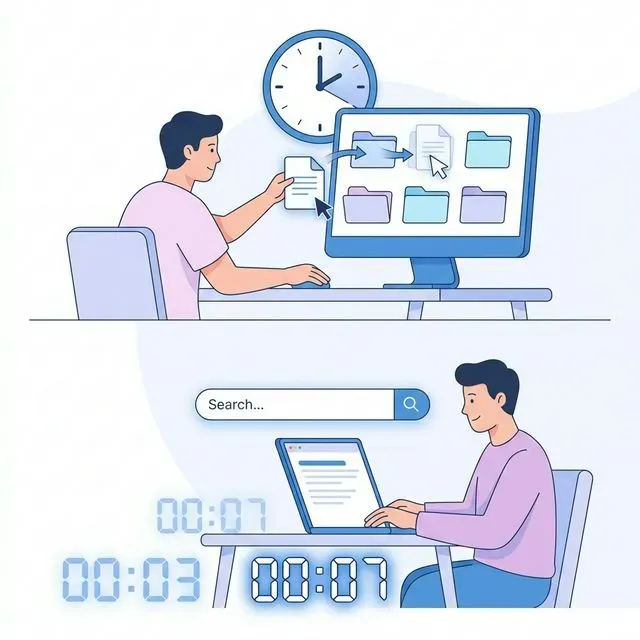
Search has to be fast. If finding files by searching takes longer than browsing through folders, you’ll go back to folders.
Instant results change how you work. You stop worrying about where files are because finding them is effortless. Slow search forces you to remember locations and browse manually.
Tamsaek: Search That Makes Organization Optional
Section titled “Tamsaek: Search That Makes Organization Optional”Tamsaek is designed for a search-first workflow. It doesn’t just supplement folder organization. It replaces it.
Index Everything Everywhere
Section titled “Index Everything Everywhere”Tamsaek indexes your local files, your Google Drive, your OneDrive, and even your browser history. When you search, you search everything at once.
You don’t need to remember whether a file is on your computer or in the cloud. You don’t need to check multiple locations. One search finds it wherever it lives.
Content Search That Works
Section titled “Content Search That Works”Unlike operating system search, Tamsaek reliably indexes the contents of your documents. PDFs, Word files, spreadsheets, presentations, it reads them all and makes every word searchable.
When you search for a phrase, Tamsaek finds documents that contain it. The results are trustworthy because the index is complete and up to date.
Describe What You Need
Section titled “Describe What You Need”Tamsaek understands natural language queries. You don’t need exact file names or specific phrases. Describe what you’re looking for, and Tamsaek finds relevant files.
“The presentation about the new website from last Tuesday” brings up exactly what you’d expect. The AI understands file types, dates, and topics, connecting them to find what you need.
No More Guessing
Section titled “No More Guessing”When you stop organizing files into folders, you might worry that things will get lost. But Tamsaek removes that fear. If a file exists, Tamsaek can find it.
You can save files anywhere with any name. Downloads, desktop, random folders, it doesn’t matter. Tamsaek searches across locations and understands content, so files are never truly lost.
Let Go of the Guilt
Section titled “Let Go of the Guilt”The cycle of organizing and reorganizing creates guilt. You feel bad when your files are messy. You feel like you should be more disciplined. You blame yourself when you can’t find things.
Stop. The problem isn’t you. The problem is a system that asks humans to be perfect filing clerants.
You have better things to do with your time than maintaining folder structures. You have work to create, ideas to develop, problems to solve. Let search handle the finding so you can focus on what matters.
Download Tamsaek and free yourself from file organization forever.
Related articles: