
Private File Search: Keep Your Data Off the Cloud
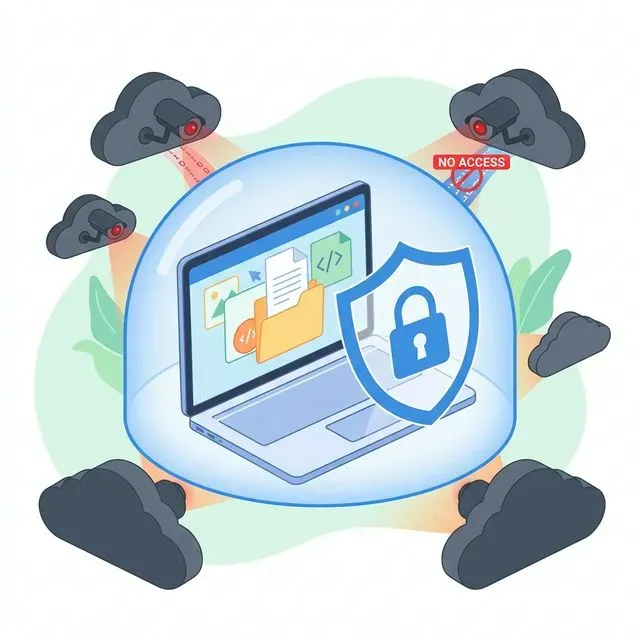
Every few months, there’s another headline. A major cloud service has been breached. Millions of files exposed. Personal data leaked. Corporate secrets stolen. The specifics change, but the pattern is depressingly consistent: data stored on someone else’s servers eventually becomes data that someone else can access.
And yet, when you look for better file search tools—something to help you find your documents faster and more reliably—nearly every option wants to upload your files to the cloud.
The sales pitch sounds reasonable. “Our AI needs to analyze your documents to provide intelligent search.” “Cloud processing enables powerful features impossible on local hardware.” “Your data is encrypted and secure on our servers.”
But here’s the thing: once your files leave your computer, you’ve lost control over them. Permanently.
The Real Risks of Cloud-Based File Search
Section titled “The Real Risks of Cloud-Based File Search”Let’s be clear about what happens when you use a cloud-based search tool. Your documents—contracts, financial records, personal photos, medical information, business strategies, private communications—get uploaded to servers owned by another company.
Data Breaches Are Inevitable
Section titled “Data Breaches Are Inevitable”No cloud service is immune to breaches. The largest companies in the world, with the most sophisticated security teams and unlimited budgets, have been breached. Yahoo, Equifax, Microsoft, Facebook, Google—the list goes on and on.
The question isn’t whether a cloud service will be breached, but when. And when it happens, your files are exposed to whoever perpetrated the attack.
Some breaches are discovered quickly. Others go undetected for months or years, during which attackers have free access to stored data. And even after discovery, companies often downplay the severity. You might not learn the true extent of exposure until much later—if ever.
Employee Access
Section titled “Employee Access”Even without external breaches, your files can be accessed by employees of the cloud service. Most services have some employees who can, technically, view stored data. They’re not supposed to, of course. There are policies. But policies can be violated.
There have been documented cases of cloud service employees snooping through user files. Sometimes it’s curiosity. Sometimes it’s stalking. Sometimes it’s espionage. These incidents are probably underreported, since they’re often only discovered by accident.
Government Requests and Subpoenas
Section titled “Government Requests and Subpoenas”Cloud services receive government requests for user data regularly. Thousands of times per year for major services. These requests can come from various agencies and for various reasons, including investigations where you’re not even the target but your files might contain relevant information.
Many of these requests come with gag orders that prevent the company from notifying you. Your files could be handed over to government agencies without your knowledge and without any legal proceeding you could contest.
AI Training and Data Harvesting
Section titled “AI Training and Data Harvesting”Read the terms of service carefully. Many cloud-based AI tools reserve the right to use your uploaded content for “improving services” or “training models.” Your private documents could become training data for AI systems used by millions of other people.
Even when companies promise not to do this, policies change. The service you signed up for with a clear privacy policy gets acquired, and the new owner has different ideas about data usage. Or the company decides it needs more training data and updates the terms of service, correctly predicting that almost no one reads those updates.
The Permanence Problem
Section titled “The Permanence Problem”When you upload files to a cloud service, you lose the ability to truly delete them. You can delete them from your view, but copies may exist in backups, caches, logs, and replicated storage systems. “Deleted” data has been recovered from cloud services years after users requested its removal.
For some information—a embarrassing photo, a confidential business document, sensitive personal data—this permanence is unacceptable. Once it’s in the cloud, you can never be certain it’s truly gone.
The Corporate and Compliance Perspective
Section titled “The Corporate and Compliance Perspective”For businesses, the risks multiply.
Regulatory Violations
Section titled “Regulatory Violations”If your company handles data covered by regulations like GDPR, HIPAA, SOC 2, or various industry-specific requirements, uploading files to cloud search tools could create compliance violations.
GDPR, for instance, has strict rules about where EU citizen data can be stored and processed. Using a US-based cloud search service for documents containing EU personal data could expose your company to significant fines.
HIPAA requires specific controls for protected health information. Using a non-HIPAA-compliant search service for medical documents could result in penalties and loss of trust.
Client Confidentiality
Section titled “Client Confidentiality”Law firms, accounting firms, consulting firms, and other professional services have ethical and legal obligations to protect client confidentiality. Uploading client documents to cloud services—especially services outside the firm’s control—could violate these obligations.
A lawyer who uploaded client contracts to a cloud search service would be risking their license. The same principle applies, if less formally, to anyone handling confidential business information.
Competitive Intelligence
Section titled “Competitive Intelligence”Your company’s documents contain valuable information. Strategic plans, pricing strategies, customer lists, product roadmaps, financial projections—the kind of information competitors would love to have.
Cloud services are targets for corporate espionage. Nation-states and criminal organizations regularly attempt to breach services used by businesses. Using cloud-based tools for sensitive business documents increases your exposure to this risk.
”Privacy-Focused” Isn’t Enough
Section titled “”Privacy-Focused” Isn’t Enough”Some cloud services market themselves as privacy-focused. They use encryption. They have strict access policies. They don’t sell your data. These are all good things, but they don’t address the fundamental problem.
Even privacy-focused cloud services:
- Can be breached
- Have employees with access
- Respond to legal requests
- Might change policies after acquisition
- Store your data on hardware you don’t control
The only way to truly control your data is to keep it on your own devices.
What “Local-First” Actually Means
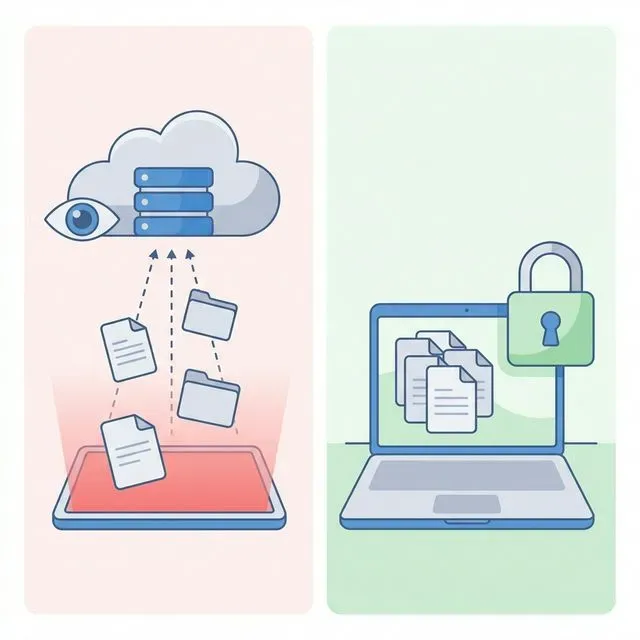
Section titled “What “Local-First” Actually Means”Local-first means the primary copy of your data stays on your own hardware. All processing happens on your machine. No servers are involved in the core functionality.
This is a fundamentally different model from cloud-based services.
No Upload, No Exposure
Section titled “No Upload, No Exposure”If your files never leave your computer, they cannot be exposed by a cloud breach. It’s not a matter of better security or more trustworthy providers—the attack surface simply doesn’t exist.
No Employee Access
Section titled “No Employee Access”Local-first software can’t have employees snooping on your data because there’s no central infrastructure where snooping could happen. The software runs on your machine, processes your files locally, and never creates an opportunity for the software company to access your content.
No Government Back Door
Section titled “No Government Back Door”Government requests go to companies that have data to provide. A local-first application doesn’t have your data, so there’s nothing to request. Legal process would have to target you directly, which at least gives you the opportunity to respond and contest.
Full Deletion Control
Section titled “Full Deletion Control”When files stay on your computer, you control deletion. Delete a file, and it’s gone. Empty your trash, and it’s really gone. No zombie copies lurking in cloud backup systems.
Works Without Internet
Section titled “Works Without Internet”A significant side benefit of local-first: it works offline. No internet connection required. Search your files on a plane, in a basement, in a remote cabin, anywhere. Your search capability doesn’t depend on server uptime or network connectivity.
Tamsaek: Private File Search That Works
Section titled “Tamsaek: Private File Search That Works”Tamsaek is built on local-first principles. Your files stay on your device. All processing happens locally. Nothing is uploaded to any server.
How It Works
Section titled “How It Works”When you install Tamsaek, it creates a search index on your local machine. This index is stored in a database on your computer—not on Tamsaek’s servers, because there are no Tamsaek servers for user data.
When you search, the query is processed locally. The AI that powers natural language search runs on your computer. The results come from your local index. At no point does any of your file content, metadata, or search queries leave your device.
Verification
Section titled “Verification”These aren’t just claims—you can verify them yourself.
First, Tamsaek works completely offline. Disconnect from the internet, and everything still works. This would be impossible if the service depended on cloud processing.
Second, no account is required. You download the application, install it, and use it. There’s no signup process that would create a server-side account for your data.
Third, you can monitor network traffic. Tools like Little Snitch or Wireshark can show you what network connections an application makes. You can verify that Tamsaek isn’t sending data anywhere.
But What About Cloud Storage?
Section titled “But What About Cloud Storage?”Tamsaek can search your Google Drive and OneDrive files. How does that work with local-first principles?
The answer is that Tamsaek downloads your cloud files to your local machine before indexing them. Your search index is still entirely local. Your queries are still processed locally. The only cloud communication is with Google or Microsoft’s APIs to download your own files—the same as if you opened those files in their respective apps.
This means your cloud files become searchable offline. After the initial download, you can search your Google Drive without any internet connection. And Tamsaek never has access to your cloud storage credentials—authentication happens directly between you and Google or Microsoft.
Full-Powered AI, Locally
Section titled “Full-Powered AI, Locally”Some people assume that local processing means reduced capabilities. After all, cloud services have massive computational resources—surely they can do more sophisticated AI?
Modern hardware is remarkably capable. Tamsaek runs a local AI model for natural language query understanding, and it works great on typical laptops. You don’t need a gaming PC or specialized hardware. The AI just runs.
This is a significant development. A few years ago, the AI capabilities Tamsaek offers would have required cloud processing. Today, they run locally on consumer hardware. Privacy and functionality are no longer in conflict.
Take Control of Your Data
Section titled “Take Control of Your Data”The convenience of cloud services has led us to accept a loss of control that would have seemed outrageous a generation ago. We upload our most personal and sensitive information to systems we don’t control, trusting policies we haven’t read, written by companies whose incentives don’t always align with ours.
It doesn’t have to be this way. For file search—something that requires access to your documents—local-first should be the default. Your search tool should be the last thing adding to your cloud exposure, not yet another service demanding access to your most sensitive files.
Download Tamsaek and search your files without surrendering your privacy.
Related articles: